Any RAM installed from $ 99
|
|---|

NOTE: We only provide parts combined with a computer repair or service
Memory / RAM  Aussie PC Fix
  Canberra
| DDR3 DIMM | - Core i7 / i5 /i3 / AMD - Dual-Channel Kits |
| DDR3 DIMM | - Core i7 1.65V - Triple-Channel Kits |
| DDR2 DIMM |
- Core 2 / Pentium Dual Core / AMD / ... |
| DDR1 DIMM | - Intel Pentium 4 / AMD / ... |
| DDR3 SO-DIMM | - Latest Core i7 / i5 /i3 Laptops |
| DDR2 SO-DIMM | - Newer Core Laptops |
| DDR1 SO-DIMM | - Older Laptops |
| How much RAM should I buy? | |
| What type of RAM do I need to buy? | |
| Can I put a faster type of RAM in my PC? | |
| What is RAM? - RAM vs. hard drive | |
| Can not enough RAM make my PC slow? | |
*Canberra RAM Installation just $160 (drop-off to KAMBAH only)
or $80 combined with any other PC service.
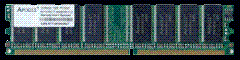
Desktop Computer Memory / RAM - DIMM
- Generic RAM = 1 Year Warranty. All other branded RAM = Lifetime Warranty



DDR3 DIMM |
Desktop RAM |
$AU |
Stock? |
||
| Triple-Channel Kits = 1.65v - fits LGA1366 Core i7 | |||||
 |
Lifetime Warranty on all Brand Name RAM ! |
||||
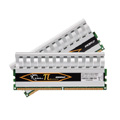
| Patriot - 4GB Kit | 3x2GB |
DDR3-1600 PC3-12800 CL7 | 199 |
Low |
|


Laptop/Notebook Memory / RAM - SO-DIMM


- Brand name RAM = Lifetime Warranty, Generic RAM = 1 Year Warranty
- Contact us for a quote on other types of PC RAM, e.g. ECC, DDR3, SD-RAM
- Canberra RAM install $160 (drop-off to Kambah, ACT) or $80 with any other computer service
- Most computer RAM kept in stock, if not then approx 2-5 days lead time
How much Memory / RAM should I buy?
Most would recommend a minimum of 1GB RAM for Windows XP but at least 2GB RAM is usually recommended for new PCs using cheap DDR2 RAM. A RAM upgrade is the easiest upgrade to perfom on a computer and one of the most common upgrades used to increase the speed of a computer.
The computer's CPU mostly determines the performance of your PC, but if you do not have enough memory then upgrading your RAM can make a bigger difference in speed than replacing your CPU.
If your Windows XP computer has just 256MB or 512MB RAM then you will very likely see an increase in speed if you upgrade your RAM.
For Windows Vista it is recommend to run with a minimum of 2GB (twice as much as WinXP) to at least run smoothly. If your Vista based PC has only 1GB of memory or less then you may not be seeing the full potential of your computers speed until you add more RAM.
You can get away with just 512MB as a minimum for Windows 2000, though this old operating system is rapidly approaching its end of life as Microsoft is discontinuing support in 2010. Don't forget Office 2000 is expiring even sooner! ...But don't worry - your Windows XP is safe until 2014!
Every persons computer usage is different and users who like to open many programs at the same time or who use memory intensive programs such as Photoshop or the latest games will always benefit from having more RAM, but there are some limits! Most users have 32-bit Windows which will only address a maximum of 4 GB RAM.
We'll need to upgrade/change to 64-bit versions of Windows to take advantage of any more than that. In fact due to the way that todays motherboards address memory, most users will only see available approx 3-3.3GB RAM available for use in (32-bit) Windows - even though a total of 4GB RAM has been installed in the PC.
For new Intel Core 2 Duo and most AMD based computers 4GB RAM is still usually recommended over putting in 3GB RAM even though you effectively lose some capacity. This is because most Core 2 Duo/Quad PCs use dual-channel memory which needs matching pairs of RAM to be used for dual-channel mode (e.g. 2x2GB or 4x1GB or just 2x1GB - and preferably the same brand and type to ensure compatibility).
Dual-channel memory means the memory can run faster because both RAM DIMMs are used simultaneously instead of just one at a time (used in serial vs. parallel). Real world gains are approx 5-10% and it is worth requesting especially in a new PC, but depending on your existing configuration it may be worth keeping some existing RAM or using odd pairs in single channel mode.
New Intel Core i7 PCs based on Socket1366 currently use triple-channel RAM so 3 RAM modules (or 3 pairs of RAM DIMMs) are usually used in this performance platform. Intel is scheduled soon to release a new mainstream (i.e. cheaper!) socket called LGA1156 which will be used for the next Nehalem CPUs, but these will probably be dual channel.
Generally Recommended: 1-2 GB RAM for Windows XP and 2-4 GB RAM for Windows Vista
What type of Memory / RAM should I buy?
There are three common types of computer RAM: DDR1, DDR2 and DDR3. They are not compatible with each other and have different notch sizes (see pic below), so you must have the correct type for your motherboard. This section talks about desktop computer DIMMs.
DDR1 / DDR RAM is still used in many older computers today - mostly Intel Pentium 4 / P4 (Socket 478) and AMD AthlonXP/64 based computers (Socket A/754/939). It is still a common upgrade used to speed up these PCs but due to lower supply and demand, DDR1 RAM is now more expensive than DDR2.
DDR2 RAM is the most common RAM and used in most new computers today such as Intel Core 2 Duo (LGA775) and Athlon64 X2 (Socket AM2). Prices crashed for DDR2 RAM in 2008 and it is easily the cheapest RAM on the market ...until DDR3 crashes in 2010?
DDR3 RAM is rapidly dropping in price over 2026, but started from a great height compared to DDR2 as expected. Speeds (CAS Latency etc) are finally up to pace and small gains can be found here.
After the release of Core i5 from Intel end of 2026-2010, DDR3 will become the mainstream and we can only suspect prices will fall below DDR2 as production ramps up. Intel released a new enthusiast\performance processor early 2026 named Core i7 which uses DDR3 RAM but this is still an enthusiast and pricey platform. AMD''s new socket AM3 will also be DDR3 capable, but DDR2 motherboards and RAM will remain more popular and cheaper for a while yet.
SD-RAM - Some very old PCs rarely seen are still using the ancient SD-RAM - we sometimes also have this in stock (64MB / 128MB / Single\Double Sided).

Source: Intel - RAM DIMMs notch sizes compared, measurement in centimeters
DDR3 RAM is still relatively new and still more expensive than DDR2 RAM. DDR3 memory will become popular in 2026-2010 as more people invest in Intel Core i7 and the mainstream Core i5 arrives, which both use DDR3. When every new generation of RAM (or most other tech!) it takes many months/years for the prices to settle to a reasonable point from the previous generation. Early adopters will always pay some premium, but then buy into any technology too late and you risk it being obsolete before you get a chance to upgrade.
DDR2 RAM prices dropped huge amounts over 2008 and continue to fall in 2026, but it will only be when the demand is higher for DDR3 - likely in 2010 - that it will eventually become cheaper than DDR2. Over time the prices are finally dropping to a more reasonable cost but it takes time for the masses to finally get around to replacing\upgrading their older computers to a DDR3 based computer system. After all still in 2026, many older PCs are still running DDR1 ... many, many years after DDR2 was released!
Laptop RAM
Desktop computers and laptops use different types of memory: Desktop PCs use DIMMs, while Laptop PCs use SO-DIMMs. Laptop SO-DIMMs are about half the physical size of Desktop DIMMs but are more expensive, though DDR2 SO-DIMMs have nearly fallen to desktop DIMM prices. Laptop SO-DIMMs are also available in DDR1, DDR2 and DDR3 and have
Desktop PC DIMM
Laptop PC SO-DIMMs
DIMM stands for dual in-line memory module and SO stands for small outline.
A software program such as CPU-Z can tell you what RAM you currently have and possibly what the maximum specifications are for your computer. Below is a screenshot after clicking the SPD tab in CPU-Z. If you click on the Slot #1 selector after downloading the program then you can see how many RAM slots are in use and available without having to open up the computer.
The type of motherboard/mainboard you have in your computer determines the type of RAM that it can use, as well as the maximum amount that is installable. Most computers have 2-4 RAM slots available for upgrades with usually 1GB or 2GB maximum RAM modules per slot. Some older PCs may also have 2GB (or 4GB) maximum limits.

SPD tab of CPU-Z
e.g. PC3200 (200MHz) = DDR-400 = DDR1
PC2-6400 (400MHz) = DDR2-800 = DDR2
Other good program to find the specs of your computer are:
Belarc gives a good summary of your computer details,
including any license keys you have.
WinAudit is similar but gives much more information and 100% free!
Can I put a faster type of RAM in my PC?
The computer motherboard determines what types of RAM, CPU/Processor as well as many other PC parts that are compatable with your computer. Although you can mix speeds and use faster RAM, it must only be of the same DDR type that your motherboard supports. You cannot put DDR2 RAM in a DDR1 motherboard or vice versa, for example.
The number after DDR, DDR2 or DDR3 determines the speed of the RAM, so for example DDR2-800 runs at 800MHz and almost always works fine in PCs made for DDR2-667 / DDR2-553 / DDR2-400 RAM (DDR2-800 may not have even existed when the PC was made!).
A faster specification RAM will usually just run at the slower speed, though remember this speed is still the fastest your PC can handle so usually nothing is lost by getting DDR-800 instead of e.g. DDR-533. Though occasionally some pairs of RAM will have issues when combined together but this can only be known after testing. Ideally you want the exact same sized RAM (and even type and brand) for best compatability, stability and also performance.
As of DDR2, most motherboards just state a maximum speed (MHz) for RAM which is usually at least 800 MHz with no minimum given. On the odd occasion (older laptops and some branded/OEM PCs can be more picky) a motherboard cannot use a faster speed RAM module, but theoretically a faster RAM module should work faster and should be more stable than a slower specification RAM.
Faster RAM is, after all, designed to handle faster speeds but there are also other RAM speed specifications that need to be compared. Faster RAM will usually have lower (better) timings (timing specifications such as CAS Latency specify how quick the RAM is to respond to read and write requests from the memory controller.
Slower speeds of RAM should also be fine in 'faster' systems. Most DDR2 motherboards will take anything from DDR2-400 and nearly always state a maximum speed (MHz) only. DDR2-800 is currently the cheapest (and has been for a very long time) but many PCs are still happily using DDR2-533 or DDR2-667. Of course the RAM will only run as fast as it's maximum specified speed.
Mixing different speeds of RAM together is again usually ok, but you do get the odd incompability which you can only find after testing. Aussie PC Fix guarantee all RAM installed by us will be 100% compatible with your desktop PC or laptop.
What is RAM? - RAM vs. hard disk drive
Memory/RAM is where your computer stores data that it is currently working on and it is like your own short term memory. RAM is an abbreviation of Random Access Memory, being random access because the PC can read any part of RAM at random with near-instant access, compared to say a tape or hard drive in which you need to wait until the media is moved into position to read it. RAM is often simply called memory.
Every time you open a file or run a program (or when those programs start up automatically after Windows starts up and put icons near your system clock), the data is read or 'loaded' from your slower hard drive and put into your fast RAM.
When you are working on files they are stored temporarily in RAM and then you must save them to the hard drive for safe keeping. Your memory/RAM can only hold so much and to keep things long term you need to write them down, to your hard drive.
RAM is a very different kind of storage place compared to a hard disk because the hard disk is used as a (more!) permanent means of storage and is designed to keep your information even while your computer is turned off, like writing in a notepad so you can read it again later. When you turn of your PC, everything in RAM is lost.
The hard disk is where all you important data is saved - all your documents as well as where Windows is installed and all your programs. The hard disk is usually assigned as (at least) the C: drive in a Windows computer.
RAM is usually measured in single digit GB / gigabytes. 1GB = 1024MB / 1024 megabytes Most new computers since 2008 have 1-4GB RAM and you will need a new 64-bit Windows (or similar operating system) to take advantage of any more than 4GB (usually you see up to 3.3MB max!) Older computers may have 1GB (1024MB) or less e.g. 512MB/'half a gig" |
|---|
RAM is a volitaile (temporary) storage medium that your PC requires to store work on it's currently running processes (program instructions running on your computer). If the power is cut then RAM loses all its current data - this is why you can lose data if you have not saved and written your file back to the hard disk drive - it's like forgetting something because you didn't write it down in time!
RAM is extremely fast, but also very expensive compared to a hard drive. Luckily, you don't need as much RAM as you do hard drive space because you don't usually load everything off you hard drive into your RAM when using your computer! (and if you did then you could only load one part at a time or your computer would crash!)
Can not enough RAM make my PC slow?
When your computer runs out of RAM then it will usually slow down or may show an error or even crash. A tell-tale sign of a computer without enough memory is that it is very slow and the hard drive is excessively being used (which you may see from the red light on the front of the PC staying constantly on, or you may also hear the drive). When a computer slows down like this, it is called disk thrashing.
This happens because Windows uses a swap file / page file / virtual memory which is a special file on the hard drive that Windows pretends to be RAM. This is usually good because the computer or program will crash if it truely runs out of memory resources, but it is also used to speed up the PC. RAM will swap things out to disk that it doesn't need at this very moment in time, but for quick retrieval later - compared to the file being stored in its original location on the hard drive. In a way it also also lets us fake that we have more RAM available for the computer to use.
This works fine except when the computer runs out of RAM, causing the PC to constantly swap data back and forth between the RAM and the hard drive. This is because the computer looks for things it doesn't need in RAM right this second, but then can end up loading it back in RAM a few moments later. When your computer runs out of memory it slows down to a crawl with information overload!
Sometimes you may see a "Your system is l low virtual memory" warning or "Out of Memory" error in Windows which means that your page file is not large enough to store the number\size of programs you have open at the time. If your Windows installation is set to System Managed or has been set manually with different minimum\maximum values then your Windows page file should automatically expand, though your computer will usually pause for 10-30 seconds while this occurs.
While this error may not neccessarily mean that you do not have enough RAM, it is usually an indication that this is the case. The Windows pagefile is set by default to 1.5 times your RAM size, and this error is saying that you have used up all your RAM and all that your pagefile can handle. You may be able to increase the pagefile size (if you have enough hard drive space), but your PC will likely run slow until you add more RAM to your computer. Sometimes the error can also be caused by a misbehaving program or a virus/spyware and further analysis of the process on the computer would be needed to find this.
Other than upgrading your RAM, you may be able to reduce the number of programs that are running on the computer (every program that's 'loaded' from your hard disk uses RAM). Each time a program is started from the desktop, start menu or automatically during start-up it takes a chunk of memory until the program is closed. Of course any of your files that are currently 'open' also take up valuable RAM.
Spyware and viruses are also a common cause of computer slow downs. This can happen because the malicious programs are using large amounts of RAM or are badly coded/written and your computer has run out of memory. Sometimes the PC slow down is just a symptom of the infection behaving badly and using all available RAM or other resources, but often it shows the PC was already running close to it's maximum available RAM. Just because the computer has loaded into RAM a few extra programs than usual, it has been pushed over the limit and has run out of RAM..
Canberra PC Parts
Computer Cases
Computer Systems
DVD / Blu-ray Writers
Hard Disk Drives (HDD)
Keyboards & Mice
KVMs
LCD Monitors
Memory (RAM)
Motherboards
Networking
Power Supply Units (PSU)
Processors (CPU)
Software/Applications
Solid State Disks
Video/Graphics Cards (GPU)
Laptop/Notebook Parts
Keyboards (we also install)
Power Adaptors / Batteries
Hard Disk Drives (HDD)
Memory (RAM)
If you're not sure which product best suits your needs, if the part is compatible with your computer, or if you need any other help or other computer parts then contact us for advice.
Any advice and recommendations given on the website is general in nature and to be used for information purposes only - use at your own risk.
Please call 0410 628 935, email support@aussiepcfix.com or contact us via online form to book your computer service or PC repairs.